
Movies Nova App Installation Tutorial
Follow these simple steps to install and set up the Movies Nova app on your device. Get started with premium IPTV content in minutes.
Installation Steps
Complete each step in order to successfully install and configure Movies Nova on your device.

Ensure you have Downloader on your device
Make sure the Downloader app is installed on your device. This app is required to download and install the Movies Nova application.
Access the Downloader app
Open the Downloader application on your device to proceed with the installation.
Enter the download code
Type in the following code and then hit Go:
Download the app
This will initiate the download of our Movies Nova app. Wait for the download to complete.
Open Movies Nova app
After the download is complete, open the Movies Nova application on your device.
Send your MAC address
Send us your MAC address and we'll connect your playlist from our end. This works for both Performance and Premium Servers.
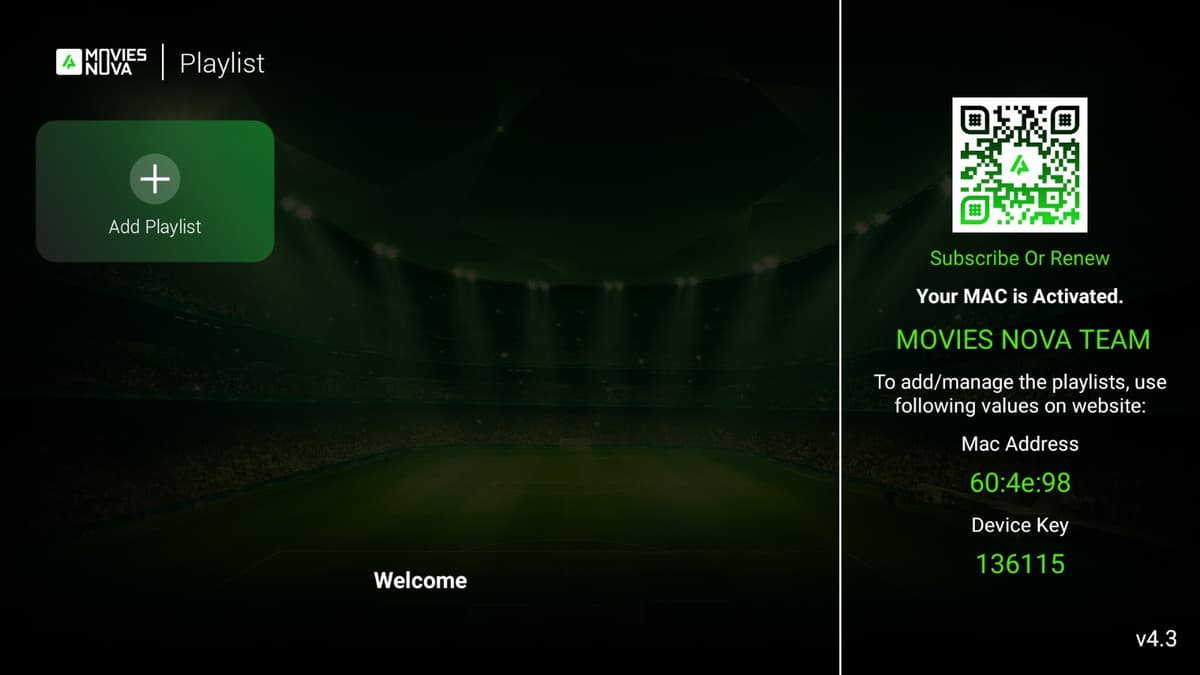
Click image to zoom
Important Information
This installation method works for both Performance and Premium Servers. After sending your MAC address, our team will promptly configure your playlist and you'll be able to access all premium IPTV content immediately.
Need Help With Installation?
Our support team is available 24/7 to assist you with any installation questions or issues.